


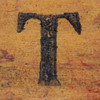

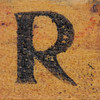

This "Thing" was a challenge! I toyed with all of the mashup tools and most were not user-friendly. Eventually I was able to find an application that was a simple type and enter application that made mashups effortless. The "spell with flickr" tool allowed me to show what my interest is in an appealing mashup form.
This capability would be useful in the classroom for projects related to any subject. There is no limit as to what could be plugged in for a visual mosaic. Imagine the fun a social studies student would have entering photos from the Apollo landing or perhaps all the presidents of the United States from Washington to Obama. At the end of a term the students might even put all of their individual projects together and construct one huge mosaic that represents everything that was learned.
Like most of these technological tools, the only limitation is what was not tried.
This capability would be useful in the classroom for projects related to any subject. There is no limit as to what could be plugged in for a visual mosaic. Imagine the fun a social studies student would have entering photos from the Apollo landing or perhaps all the presidents of the United States from Washington to Obama. At the end of a term the students might even put all of their individual projects together and construct one huge mosaic that represents everything that was learned.
Like most of these technological tools, the only limitation is what was not tried.
History image above was created by Spell with Flickr

I also chose to use this tool and was surprised at how easy it was. The other mashup sites confused me, so I'm glad to see someone else noticed how easy the spell with flickr tool was!
ReplyDeleteI agree the Flickr mash up was so much easier to use than the other sites. The Flickr site in general is easier to use than other sites. It makes making collages much easier also and I really enjoy using it.
Delete